Okay This time i had to use the same three colors and pattern or thick paper.. but i wanted to add more detail.. and then created a perfect stencil having all the black touchings... heres the progress.. Sorry still couldn't find the stencil with the nike sign.. I basically had to create it on silhouette studio and then create outer and inner outline of the shoe.. have a cut out for the first layer and second layer...
Monday, April 10, 2017
week 12- stencil improvement-three color pop with pattern paper
So next piece I had to improve on the next idea i have created on it.. this time it had to either use pattern paper or thicker paper.. i used both and wanted to take the feedback from classmates and from nathan to add more detail to the shoe .. I couldn't find the other stencil files but heres the stencil to the red dark colour to the newspaper paper.. and black background..
week 11-more stencils?
The next piece we had to used the ideas from the last asignment.. this time use three colors.. basically like the color pop assignment... I wanted to created a stencil using my favorite shoe.. AJ1 show I created a black and white stencil of the shoe.. and i couldnt find the stencil with the nike check sign logo.. but heres from the photo to stencil to final piece with a tan paper and orange outline to black background..
week 10 - stencil to cut and create two color illustration
The next piece I had to create was a stencil BW logo or object with the all the blacks touching to show that the black area are the ones to be cut out when using the silhouette program..
Once i was able to draw it out as the black and white image below .. I sent it to illustrator to save as a jpg.. then sent it to the silhouette studio to be traced.. then sent to my usb as a the silhouette file to be cut on the silhouette cutting machine..
For this two pieces i basically used a light and dark blue.. the light blue was used to be cut out.. for the white part.. postive space.. and i used the dark blue for background to give the identical look to the stencil that i created...
the piece below was the cut outs of the light blue .. I glued on to the dark blue background two give the identical black and white but inverted
Sunday, March 19, 2017
Week 9 photograph to illustration
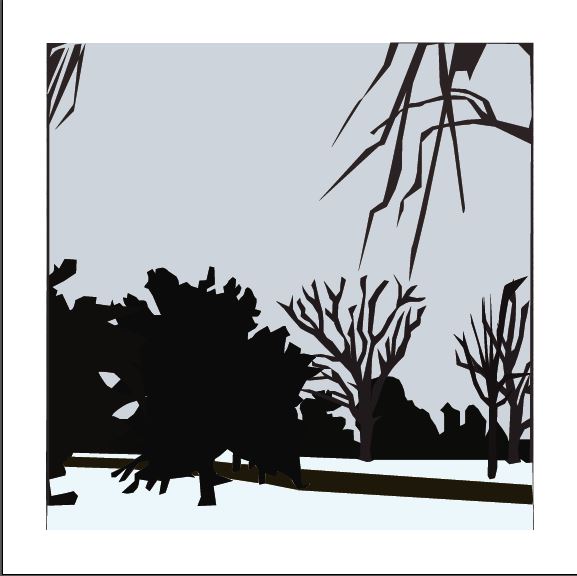
This week assignment was based on using the images we photographed with interior and exterior distance... we clearly had to take the images to illustrator and then pick a good area in the image as our foundation or base... starting from the background of the image to the front .. using the pen tool to make a shape of the objects then eyedropper for the color..You are basically making your interpretation of the photograph.. in your way.. from photo to illustrator..
" Winter wonderland"
2017
digital
illustrator, pen tool, eyedropper
"Stairwell"
2017
digital
illustrator, pen tool, eyedropper
Monday, March 13, 2017
week 8 interior distance and exterior distance
Sadly, I was nowhere near anything interesting to take fantastic or abstract images of interior and exterior distances but I got the idea of it..
Exterior Distance
I wanted to just get a view of the campus from distances with using the trees and buildings.. show layers of depth
Interior distance
I wanted to give a view of the dorms and the distance.. not long distance but enough to give layers of background
Friday, March 3, 2017
week 7 text, frame, color dull
due to the fact of missing class i cannot completely explain the assignment i just know how to create the images
anfaslim
2017
photoshop edit
i wanted to have a theme of this rad graffiti like low budge skater feel to this image .. with use of a graffiti like text and the same complementary colors
kickflip
2017
photoshop edit
I wanted to keep the feel of the target image of the skateboard with a hint still of the theme graffiti
young jag
2017
photoshop edit
I wanted to incorporate my bestfriend rapper name in here with the use of the low budget feel to it like its a cheap magazine to read off of
Subscribe to:
Posts (Atom)